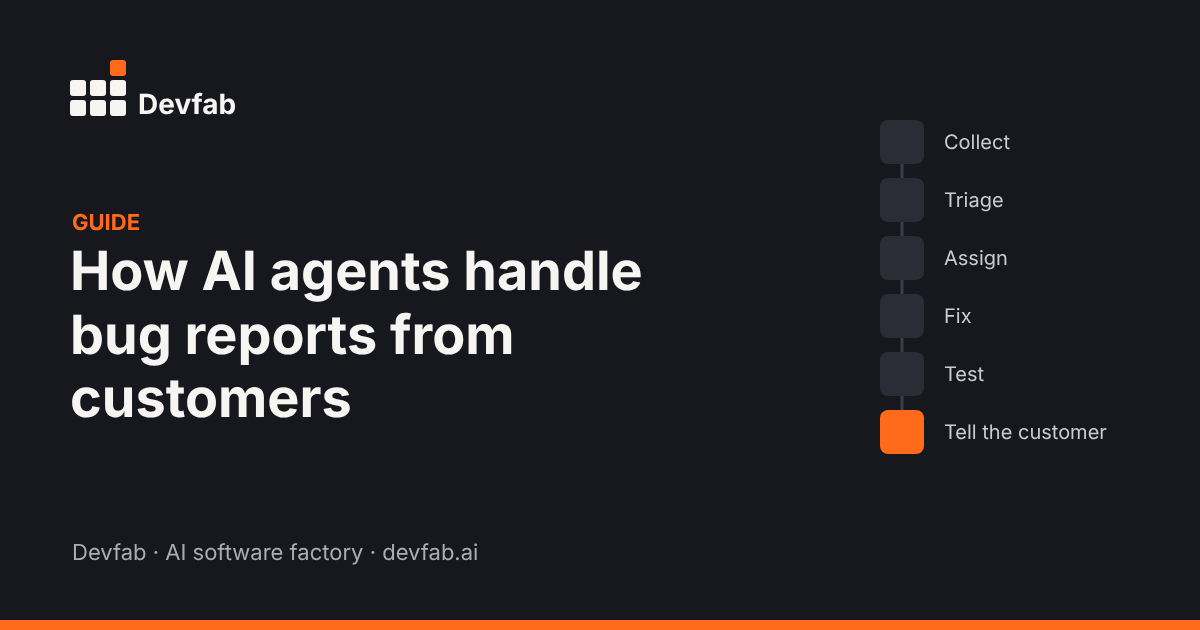
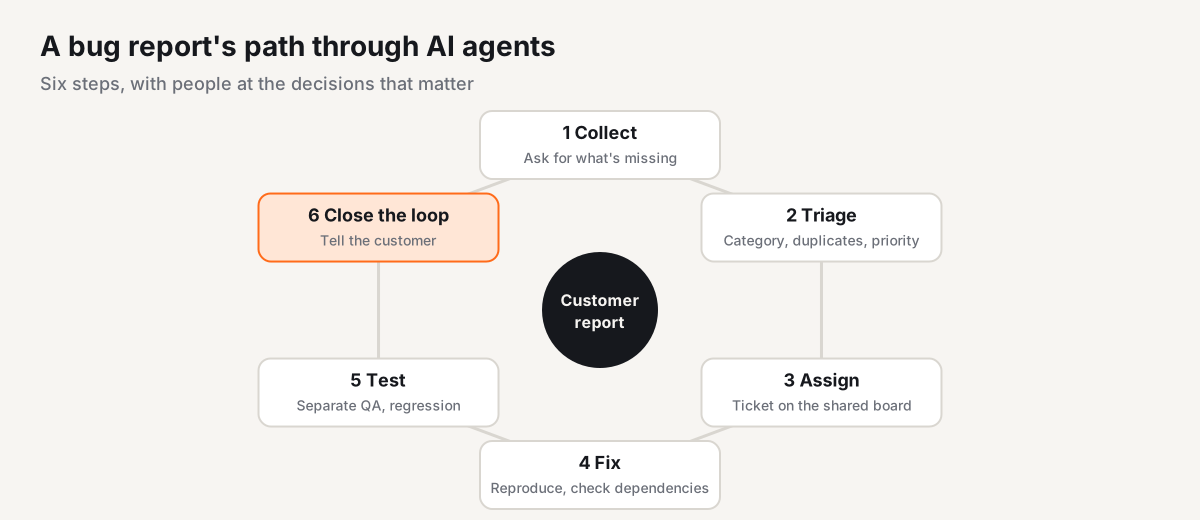
Short answer: AI agents handle a customer bug report in six steps: collect the report with the details needed to reproduce it, triage it (category, duplicates, priority), assign it as a ticket, fix it with awareness of what else the code affects, test it separately from the fix, and close the loop by telling the customer it's done. People stay in charge of priorities, release approval and sensitive replies.
Bug reports are a good job for agents: they arrive constantly, follow a pattern, and most of the work is gathering information and checking things. But a bad automated process is worse than none. A customer who reports a bug and never hears back, or gets a "fix" that breaks something else, loses trust fast.
This guide walks through how a well-designed agent workflow handles a report from start to finish.
Step by step
Step 1: Collect a report you can act on
Most bug reports arrive incomplete: "The booking page doesn't work." An intake agent's first job is to turn that into something reproducible. It asks for, or captures automatically:
- what the customer was trying to do
- what they expected and what happened instead
- the page, device and browser
- the time it happened and the account affected
- a screenshot or error message, if available
Good intake asks only for what's missing, in plain language. Customers shouldn't fill out a form designed for developers.
Step 2: Triage: category, duplicates and priority
Next, the agent sorts the report:
- Category: bug, feature request, question or configuration issue. Many "bugs" are users who can't find a setting.
- Duplicates: is this the same issue three other customers reported this morning? Merging duplicates gives a better picture of impact.
- Priority: based on rules your team writes down, for example:
- a core flow (sign-in, payment, booking) is broken: urgent
- many users affected, no workaround: high
- one user affected, workaround exists: normal
- cosmetic: low
Write your rules down. An agent applies written rules consistently; it can't apply rules that only live in someone's head.
Step 3: Assign it as a ticket
The report becomes a ticket on the same board as planned work, with the reproduction steps, priority and links to related reports. A coordinator agent assigns it to a dev agent, or to a person if the rules say so (for example, anything touching security or billing).
Keeping bugs and planned work on one board matters. Otherwise fixes compete invisibly with feature work, and nobody can see why either is late.
Step 4: Reproduce and fix, with the full picture
The dev agent first reproduces the bug, ideally as a failing test. A fix without a reproduction is a guess.
Then it fixes the code. This is where many automated fixes go wrong: the agent changes one function without knowing what else depends on it. Imagine a bug in an e-commerce checkout. The checkout function also triggers payment processing, inventory updates, order confirmation and customer emails. An agent that only looks at checkout can fix the bug and break the order emails.
The answer is dependency awareness: a map of which functions call which, and what's currently deployed. With that, the agent can check every connected function before it changes anything.
Step 5: Test separately from the fix
A QA step, separate from the agent that wrote the fix, then checks:
- the reproduction test now passes
- related flows still work (regression tests)
- the fix behaves the same every time for the same input
The agent that wrote the code shouldn't be the only one judging it. Use automated tests that give a consistent verdict, not another model's opinion.
Step 6: Release and close the loop
After a person reviews the fix and the test report (for anything above low priority), it's released. Then the step that's most often skipped: tell the customer. A short message saying what was wrong, that it's fixed, and what to do if it happens again.
This step turns a frustrated customer into one who trusts you more than before they hit the bug.
Where people stay in the loop
| Step | Agent does | Person does |
|---|---|---|
| Collect | Asks follow-up questions, captures context | Handles angry or sensitive customers |
| Triage | Categorises, merges duplicates, applies priority rules | Writes the rules, overrides when needed |
| Assign | Creates and assigns tickets | Takes security and billing issues |
| Fix | Reproduces, checks dependencies, writes the fix | Steps in on hard calls |
| Test | Runs reproduction and regression tests | Reviews the test report |
| Close the loop | Drafts and sends the update | Approves replies for key accounts |
Common mistakes
- No reproduction step. Fixes that start from a guess often fix the wrong thing.
- Letting the same agent write and judge the fix. You need a separate test step.
- Ignoring dependencies. The fix works; something connected to it breaks.
- Separate boards for bugs and features. Nobody sees the real workload.
- Unwritten priority rules. The agent can't be consistent with rules it doesn't have.
- Never telling the customer. The fix happens, but the customer still thinks you ignored them.
How this works in Devfab
In Devfab, the feedback module runs this loop. Customers submit issues or improvement requests; the coordinator agent categorises and prioritises them, and assigns them to dev agents on the project's task board. ChainFlow, Devfab's code-intelligence layer, maps which functions and APIs call each other and what's currently deployed, so dev agents can see the impact of a change before making it. A QA agent tests the fix, and when it's done the reporter is notified, closing the loop.
Checklist
- [ ] Intake asks for: goal, expected vs actual, page, device, time, account, screenshot
- [ ] Categories defined: bug, feature request, question, configuration
- [ ] Duplicate reports are merged and counted
- [ ] Priority rules are written down
- [ ] Bugs and planned work share one board
- [ ] Every fix starts with a reproduction
- [ ] Dependencies are checked before a change
- [ ] Tests run separately from the fix, with consistent results
- [ ] A person reviews fixes above low priority
- [ ] The customer is told when it's fixed
FAQ
Can AI agents fix customer bugs on their own?
They can handle most of the routine work: collecting details, removing duplicates, prioritising, reproducing, writing a fix and testing it. People should still set priorities for anything customer-critical, review fixes before release and handle sensitive customer communication.
How do AI agents prioritise bug reports?
They combine signals such as how many users are affected, whether a core flow like login or payment is broken, whether there's a workaround, and the customer's plan or contract terms. Teams should write these rules down so the agent applies them consistently.
What stops an AI fix from breaking something else?
Two things: knowing what depends on the code being changed, and testing separately from the agent that wrote the fix. Dependency mapping shows which functions call the changed code; regression tests confirm the rest still works.
Should customers know an AI agent handled their report?
Be transparent. Customers mostly care that the issue was understood, fixed and confirmed. A clear status update, ideally reviewed by a person for important accounts, matters more than who wrote it.
Read next
- What is an AI software factory?
- How to measure AI developer productivity
- Prototype vs MVP vs production app: what's the difference
Frequently asked questions
Can AI agents fix customer bugs on their own?
They can handle most of the routine work: collecting details, removing duplicates, prioritising, reproducing, writing a fix and testing it. People should still set priorities for anything customer-critical, review fixes before release and handle sensitive customer communication.
How do AI agents prioritise bug reports?
They combine signals such as how many users are affected, whether a core flow like login or payment is broken, whether there's a workaround, and the customer's plan or contract terms. Teams should write these rules down so the agent applies them consistently.
What stops an AI fix from breaking something else?
Two things: knowing what depends on the code being changed, and testing separately from the agent that wrote the fix. Dependency mapping shows which functions call the changed code; regression tests confirm the rest still works.
Should customers know an AI agent handled their report?
Be transparent. Customers mostly care that the issue was understood, fixed and confirmed. A clear status update, ideally reviewed by a person for important accounts, matters more than who wrote it.