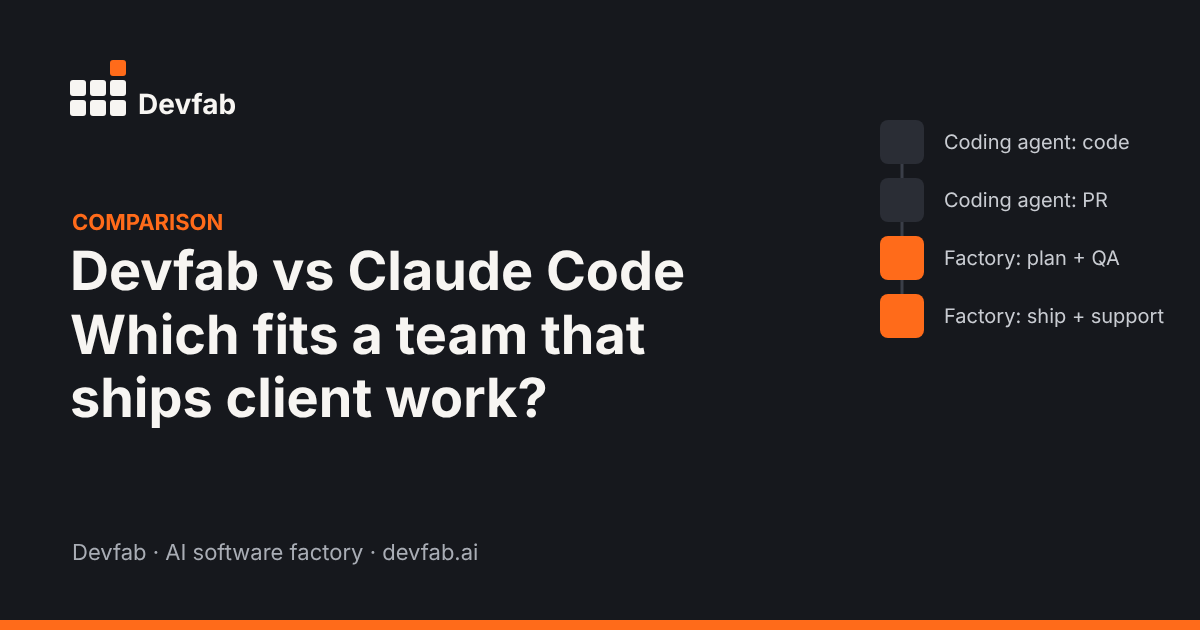
Short answer: Claude Code is a powerful coding agent that helps a developer read, change and ship code from the terminal, IDE, desktop or web. Devfab is a software factory that runs the whole delivery lifecycle (requirements, an approved plan, coordinated dev agents, separate QA, deployment, documentation and feedback) for a team. Choose Claude Code to make developers faster; choose Devfab to make delivery repeatable.
What each tool is built for
Claude Code
Claude Code is Anthropic's agentic coding tool. It reads your codebase, edits files, runs commands and works with git to stage changes, write commit messages, create branches and open pull requests. You can use it in the terminal, VS Code, JetBrains, a desktop app or the browser.
It's highly customisable: a CLAUDE.md file holds project instructions, skills package repeatable workflows, hooks run commands before or after actions, MCP connects tools like Jira or Google Drive, and subagents can work on parts of a task in parallel. It also runs in CI through GitHub Actions and GitLab CI/CD for code review and issue triage.
Its main user is a developer working on a codebase.
Devfab
Devfab is an AI software factory. Its unit of work is a project, from a requirement to shipped, supported software:
- A research agent turns a one-sentence idea into a full spec, or you upload your own requirements.
- A planner agent writes the implementation plan, and a person approves or edits it before code is written.
- A coordinator agent splits the plan into tickets on a built-in task board and assigns them to dev agents.
- A QA agent tests each task.
- Apps deploy to your own server, with blueprints, hi-fi designs, sequence flows, prototypes and user manuals.
- After launch, user feedback becomes tickets, and reporters are told when fixes ship.
Its main users are teams: product owners, project managers, developers and, for agencies, their clients.
Same brief, two workflows
To make the difference concrete, here's how each tool handles the same brief: "Build an appointment booking app for a small clinic: patients book slots, staff manage the calendar, patients get email reminders."
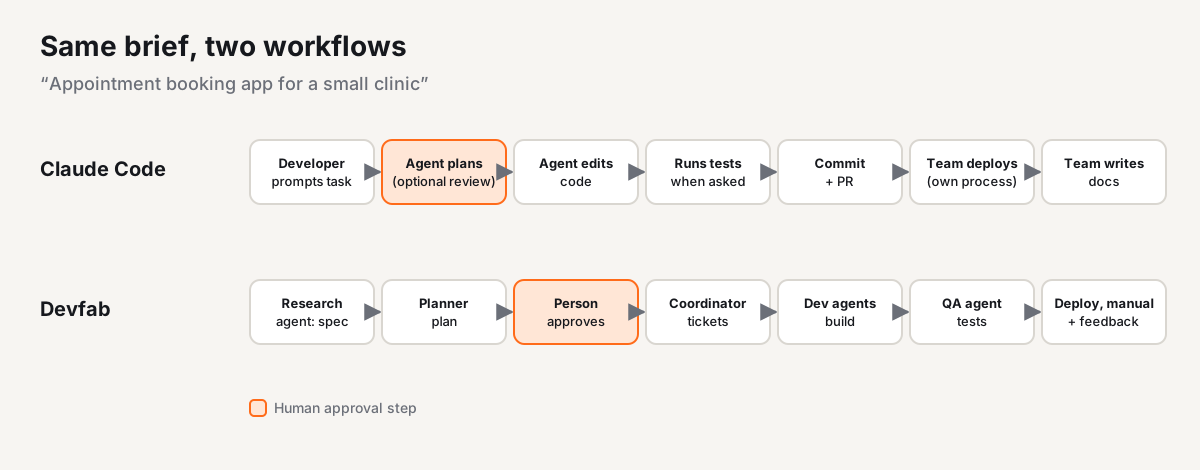
With Claude Code, a developer opens the project and describes the task. Claude Code can plan the approach, write code across files, run the tests it's asked to run, and commit and open a pull request. The developer decides how to structure the work, reviews each change, sets up testing, deploys the app and writes any user documentation. The process around the code is the team's own.
With Devfab, a product owner (or the client) enters the brief. The research agent asks clarifying questions and produces a spec. The planner proposes the screens, data model and task order, and the product owner approves the plan. The coordinator creates tickets and dev agents build them in the team's GitHub repository. The QA agent tests each ticket. The team reviews the test report and the prototype, deploys to the clinic's server, and hands over a user manual. When the clinic reports a bug, it comes back in as a ticket.
Both can produce working code. The difference is who drives the process and how much of it is built in.
Comparison table
| Aspect | Claude Code | Devfab |
|---|---|---|
| Built for | Developers working on a codebase | Teams delivering projects end to end |
| Starting point | A task or prompt in a codebase | A one-sentence idea or a requirements document |
| Planning | Can plan the approach; plan review is available | Planner agent writes the plan; a person approves it before any code |
| Human approval | Developer reviews changes and PRs | Built-in gates: plan approval, final review |
| Task coordination | Subagents for parts of a task; your own tracker for the project | Coordinator agent, built-in task board, no fixed limit on dev agents |
| Tests | Runs and writes tests when asked | Separate QA agent tests each task: unit, logic, flow and UI |
| Deploy | Up to your team or CI | Deploys to your own server |
| Docs | Writes docs when asked | Blueprints, hi-fi designs, sequence flows, prototypes and user manuals |
| Existing codebases | Strong: reads and edits your codebase | Supported, with ChainFlow mapping which functions call which |
| After launch | Up to your team | Feedback module turns user reports into tickets and notifies reporters |
| Model choice | Claude models | Choose the model per agent, or keep the default |
| Code ownership | Works in your repository | Code in your own GitHub account |
| Cost visibility | Usage and cost commands per session | Cost logged after each run, per task and per project |
| Team features | Shared settings and instructions across the team | Roles, workspace permissions, admin portal, Team Delivery Report |
| Non-technical users | Not the main audience | Can describe apps, approve plans and review prototypes |
When to choose Claude Code
Claude Code is the better choice when:
- You're a developer who wants an agent in your own workflow, whether the terminal, your IDE or CI.
- You want deep customisation: scripts, hooks, skills, MCP servers and your own agents through the Agent SDK.
- The work is code-level: refactors, bug fixes, tests, migrations and reviews in a codebase you know.
- Your team already has a delivery process (tracker, CI/CD, QA, docs) and just wants faster coding inside it.
When to choose Devfab
Devfab is the better choice when:
- You deliver many projects, for clients or for your own business, and want the same process every time.
- Someone non-technical needs to take part: a client approving the plan, a product owner reviewing the prototype.
- You need evidence: an approved plan, a QA report and a user manual for every delivery.
- The app must run on your or your client's servers, with code in your own GitHub account.
- You quote projects and need predictable cost, with cost logged per task and per project.
- You maintain apps after launch and want user feedback to flow straight into fixes.
Where Devfab is weaker: it's newer and in Beta, with a smaller community and fewer integrations. It's not the tool for quick hands-on edits in your terminal or editor. And it requires connecting a GitHub account.
Can you use both?
Yes. A common setup is: developers keep a coding agent for hands-on work, and the team runs projects through a factory for the planned, tested, documented delivery. Because Devfab keeps code in your own GitHub repository, developers can work on the same code with whatever tools they prefer.
FAQ
Is Devfab a replacement for Claude Code?
Not directly. Claude Code is a coding agent that helps a developer change code. Devfab is a software factory that runs the whole delivery lifecycle around the code: requirements, an approved plan, coordinated dev agents, separate QA, deployment, documentation and feedback. Many developers will keep a coding agent for hands-on work.
Can non-developers use Claude Code?
Claude Code is built for developers. It runs in a terminal, IDE, desktop app or the web and works directly on a codebase. Devfab is designed so non-technical people can describe an app, review a plan and check a prototype, while developers can still work on the code in GitHub.
Which is better for a software agency?
If the agency mainly needs developers to code faster, a coding agent like Claude Code fits. If it needs client-approved plans, test reports, deployment to client servers, user manuals and cost per project, Devfab is designed for that.
Does Devfab let me choose the AI model?
Yes. You can choose the model for each agent or keep Devfab's default.
Read next
- What is an AI software factory?
- GitHub Copilot alternatives for teams that ship to production
- How AI agents handle bug reports from customers
See it on your own project. Book a Devfab demo or join the Beta.
Sources (checked November 2026): Claude Code overview; Claude Code product page.
Frequently asked questions
Is Devfab a replacement for Claude Code?
Not directly. Claude Code is a coding agent that helps a developer change code. Devfab is a software factory that runs the whole delivery lifecycle around the code: requirements, an approved plan, coordinated dev agents, separate QA, deployment, documentation and feedback. Many developers will keep a coding agent for hands-on work.
Can non-developers use Claude Code?
Claude Code is built for developers. It runs in a terminal, IDE, desktop app or the web and works directly on a codebase. Devfab is designed so non-technical people can describe an app, review a plan and check a prototype, while developers can still work on the code in GitHub.
Which is better for a software agency?
If the agency mainly needs developers to code faster, a coding agent like Claude Code fits. If it needs client-approved plans, test reports, deployment to client servers, user manuals and cost per project, Devfab is designed for that.
Does Devfab let me choose the AI model?
Yes. You can choose the model for each agent or keep Devfab's default.