Short answer: The strongest GitHub Copilot alternatives in 2026 are Cursor and Devin Desktop (AI-first editors), Claude Code and OpenAI Codex (coding agents for the terminal, IDE and cloud), Devin (an autonomous cloud engineer), Gemini Code Assist and Amazon Q Developer (cloud-ecosystem assistants), and Devfab (an AI software factory that runs the whole lifecycle). Pick by the job: writing code faster, delegating tasks, or delivering tested software end to end.
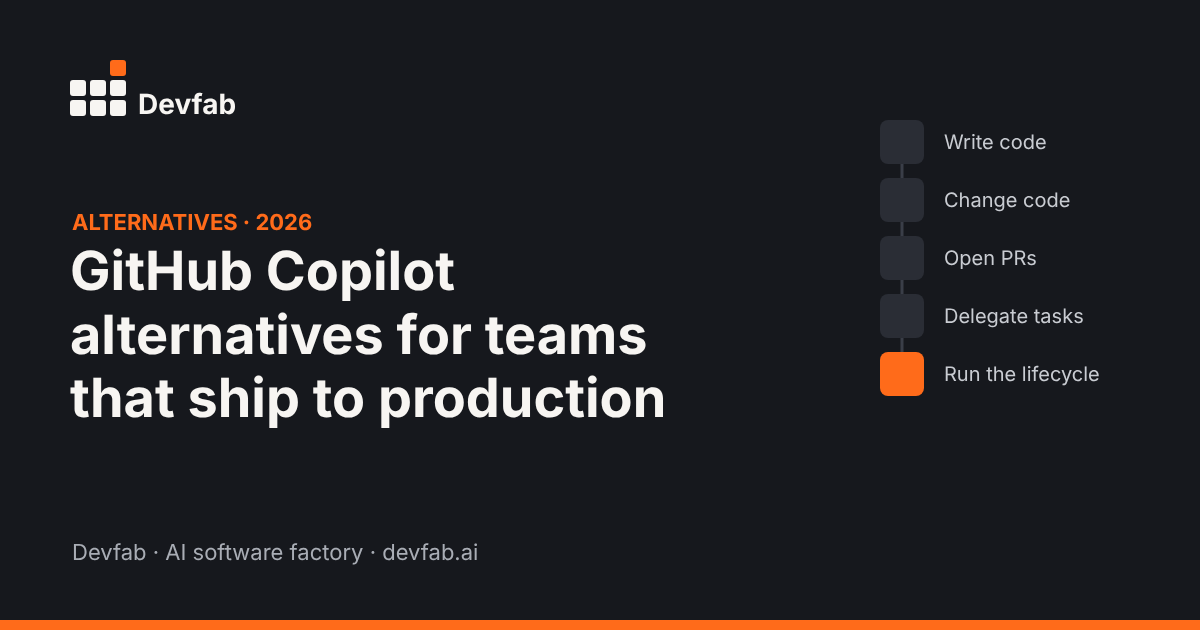
Why teams look for Copilot alternatives
GitHub Copilot is one of the most widely used AI coding tools, and it has grown from autocomplete into agents: on all paid plans you can assign a GitHub issue to Copilot and get a pull request back, start tasks from a prompt, and choose the AI model. So why look elsewhere?
The reasons we hear most from teams that ship client or production software:
- They want a different way of working. Some developers prefer an AI-first editor, others a terminal agent, others a cloud agent they hand tasks to.
- Usage-based costs. Since mid-2026, heavier agent use on Copilot is metered beyond the base subscription, so costs vary with how much the agents run. Many tools in this list now work the same way.
- The bottleneck has moved. Code arrives faster, but planning, review, testing, deployment and documentation still take the same time. A faster coder doesn't fix that.
- Team and client needs. Agencies need plans clients can sign off, test evidence, deployment to client infrastructure and a clear cost per project.
How we compared
We compared each tool on what it's built to do, based on each vendor's public documentation and product pages as of November 2026. We looked at:
- where you work with it (editor, terminal, cloud, browser)
- what it produces (suggestions, code changes, pull requests, deployed apps)
- whether code stays in your own repository
- what it covers beyond code: plan approval, separate testing, deployment, documentation and post-launch feedback
- team features: roles, task tracking and reporting
Pricing changes often, so we describe how each tool charges rather than quoting prices. Check each vendor's pricing page before you decide.
Shortlist with a feature table
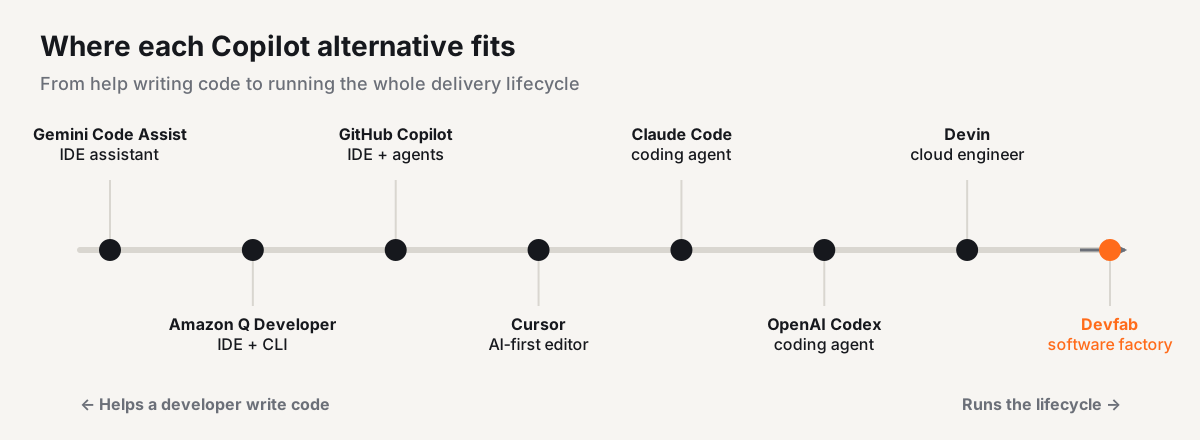
| Tool | Type | Where you work | Main output | Beyond code (plan approval, QA, deploy, docs, feedback) |
|---|---|---|---|---|
| GitHub Copilot (baseline) | Assistant + agents | IDEs, GitHub | Suggestions, PRs | Code review on GitHub; deploy, docs and feedback are up to you |
| Cursor | AI-first editor | Desktop editor (VS Code fork) | Code changes | Up to you |
| Claude Code | Coding agent | Terminal, IDE, desktop, web | Code changes, commits, PRs | Code review and CI automation available; deploy and docs up to you |
| OpenAI Codex | Coding agent | CLI, IDE extension, app, cloud | Code changes, PRs | Up to you |
| Devin / Devin Desktop | Cloud engineer + editor | Cloud sandbox, desktop editor | PRs | Up to you |
| Gemini Code Assist | Assistant | VS Code, JetBrains | Suggestions, code changes | Strongest inside Google Cloud |
| Amazon Q Developer | Assistant | IDE, CLI | Suggestions, code changes | Strongest inside AWS |
| Devfab | AI software factory | Web app + your GitHub | Planned, tested, deployed apps | Built in: plan approval, QA agent, deploy to your server, manuals and diagrams, feedback loop |
Cursor
What it is: An AI-first code editor built on VS Code, with an agent that makes multi-file changes and access to models from several providers.
Best for: Developers who want AI deeply built into their editor and like choosing between models.
Limits: It's an editor: planning, testing, deployment and documentation stay with your team. Usage limits can run out in heavy sessions on lower tiers.
Claude Code
What it is: Anthropic's agentic coding tool. It reads your codebase, edits files, runs commands, and works with git to create commits, branches and pull requests. It runs in the terminal, VS Code, JetBrains, a desktop app and the web, and supports MCP connections, hooks, skills, subagents and GitHub Actions.
Best for: Developers comfortable in the terminal who want a capable agent they can script and customise.
Limits: It's built for developers. Non-technical stakeholders won't use it directly, and deployment, user docs and client sign-off live elsewhere. See our full Devfab vs Claude Code comparison.
OpenAI Codex
What it is: OpenAI's coding agent, available as a CLI, an IDE extension that works in VS Code and most of its forks, a desktop app and cloud tasks. It's included, with usage limits, across ChatGPT plans from Free to Enterprise.
Best for: Teams already using ChatGPT that want a coding agent without another subscription.
Limits: Like the other coding agents, it focuses on code changes. The surrounding delivery process is yours to run.
Devin and Devin Desktop
What it is: Cognition's agent family. Devin is an autonomous cloud engineer that works in its own sandbox and opens pull requests. Windsurf, the editor Cognition acquired, is now Devin Desktop: an editor with a board for managing local and cloud agents.
Best for: Teams that want to hand off well-defined tasks and review the pull requests.
Limits: Delegated tasks need clear specs. Without an agreed plan, you review assumptions after the code is written.
Gemini Code Assist
What it is: Google's AI assistant for VS Code and JetBrains, with a generous free tier and strong Google Cloud integration.
Best for: Teams on Google Cloud.
Limits: Its agent features are strongest inside the Google ecosystem.
Amazon Q Developer
What it is: AWS's AI assistant for IDEs and the command line, with deep AWS knowledge and code transformation features.
Best for: Teams building on AWS.
Limits: Its value drops outside AWS.
Where GitHub Copilot is still the better choice
Copilot is a strong tool, and switching isn't always the right call. Stay with Copilot if:
- Your work lives on GitHub and you want issues, pull requests, code review and agents in one place.
- You need broad IDE coverage for a team using many different editors.
- Enterprise controls matter most: policy management, audit logs and IP indemnity on business plans.
- You want inline completions as the main way you use AI. That's still where Copilot shines.
Many teams keep Copilot as the in-editor assistant and add another tool for larger, planned pieces of work.
Where Devfab fits
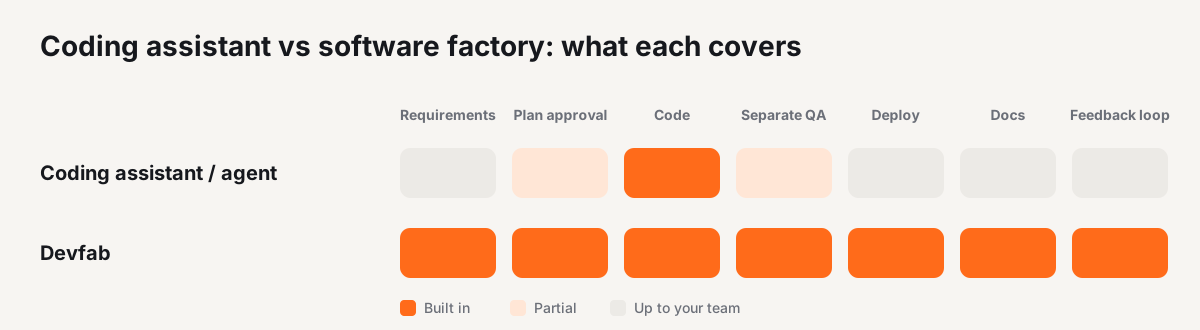
Devfab isn't a Copilot replacement inside your editor. It's a different kind of tool: an AI software factory. Coding agents automate the developer; Devfab automates the development lifecycle.
What that means in practice:
- You start with a requirement, not a code change: one sentence or a full requirements document.
- A planner agent writes the plan, and you approve it before any code is written.
- A coordinator agent assigns tickets to dev agents on a built-in task board, much like Jira.
- A QA agent tests each task separately from the agent that wrote it.
- Code lives in your own GitHub account, and apps deploy to your own server.
- You get the documents that usually get skipped: blueprints, hi-fi designs, sequence flows and user manuals.
- After launch, user feedback becomes tickets; agents fix them and the reporter is notified.
- Cost is logged after each run, per task and per project, so agencies get predictable cost for quoting.
- You choose the model for each agent, or keep the default.
Where others are better: Devfab is not built for inline autocomplete or quick one-line edits in your editor; Copilot, Cursor and the coding agents are better there. It's also newer, in Beta, with a smaller community and fewer integrations than the established tools. And it needs a GitHub account connected to your projects.
Who it suits: software agencies, outsourcing firms and product teams who deliver many projects and need plan sign-off, testing, deployment and documentation as part of every delivery.
How to choose
- Want faster coding in your editor? Stay with Copilot, or try Cursor or Devin Desktop.
- Want an agent you can script in the terminal? Claude Code or OpenAI Codex.
- Want to hand off tasks and review pull requests? Devin or Copilot's cloud agent.
- Deep in one cloud? Gemini Code Assist (Google Cloud) or Amazon Q Developer (AWS).
- Need tested, deployed, documented software across many projects? An AI software factory like Devfab.
FAQ
What is the best GitHub Copilot alternative?
It depends on the job. For an AI-first editor, Cursor or Devin Desktop. For a terminal-based coding agent, Claude Code or OpenAI Codex. For delegating whole tasks to a cloud agent, Devin. For running the full lifecycle (plan, code, tests, deploy, docs and feedback) as a team, an AI software factory such as Devfab.
Is there a free GitHub Copilot alternative?
Several tools have free tiers or free usage, including Gemini Code Assist, Amazon Q Developer and OpenAI Codex on some ChatGPT plans. Limits change often, so check each vendor's pricing page.
Should I replace GitHub Copilot or use another tool alongside it?
Many teams use more than one. Copilot can stay as the in-editor assistant while a separate agent or factory handles planned, tested delivery of larger pieces of work.
Which Copilot alternative is best for software agencies?
Agencies usually need more than code suggestions: a plan the client can approve, testing they can show, deployment to the client's infrastructure, documentation and predictable cost per project. Those needs point toward an AI software factory rather than a coding assistant alone.
Read next
- What is an AI software factory?
- Devfab vs Claude Code: which fits a team that ships client work?
- How to measure AI developer productivity
See the whole lifecycle in one run. Join the Devfab Beta.
Sources (checked November 2026): GitHub Docs: Copilot agents on GitHub; Claude Code overview; OpenAI Help: Using Codex with your ChatGPT plan; eesel: GitHub Copilot alternatives in 2026; Windsurf is now Devin Desktop; Copilot pricing overview.
Frequently asked questions
What is the best GitHub Copilot alternative?
It depends on the job. For an AI-first editor, Cursor or Devin Desktop. For a terminal-based coding agent, Claude Code or OpenAI Codex. For delegating whole tasks to a cloud agent, Devin. For running the full lifecycle (plan, code, tests, deploy, docs and feedback) as a team, an AI software factory such as Devfab.
Is there a free GitHub Copilot alternative?
Several tools have free tiers or free usage, including Gemini Code Assist, Amazon Q Developer and OpenAI Codex on some ChatGPT plans. Limits change often, so check each vendor's pricing page.
Should I replace GitHub Copilot or use another tool alongside it?
Many teams use more than one. Copilot can stay as the in-editor assistant while a separate agent or factory handles planned, tested delivery of larger pieces of work.
Which Copilot alternative is best for software agencies?
Agencies usually need more than code suggestions: a plan the client can approve, testing they can show, deployment to the client's infrastructure, documentation and predictable cost per project. Those needs point toward an AI software factory rather than a coding assistant alone.